Why this post exists
I was using Codex recently when it started heading in a direction I did not like. Nothing dramatic happened. No glowing red screen. No sci-fi disaster. Just a coding agent confidently marching to its own beat, in the wrong direction, while I sat there thinking: Wait. That is not what I meant.
Then came the practical question: How do I stop this?
There was a Stop button. I pressed it. The run stopped. I breathed again. And then my inner safety engineer asked: Why did I start something before I knew how to stop it?
That is neither a criticism of Codex nor fearmongering. I knew better. It is basic safety thinking: before you start the machine, know where the stop control is.
Stop is not panic
In ordinary chat, the stop control is usually enough. If the answer goes sideways, stop it, redirect, or start over.
But tools that can act are different.
A coding agent may edit files. A workflow agent may call tools. A publishing agent may create content. An email agent may prepare messages. A data agent may query or change records.
Once a tool can act, safe use asks three things:
- How do I stop it?
- What did it already do?
- How do I undo or recover?
Stopping is not the same as recovering. An interrupt can halt further work on the run you are watching. Actions already finished — edits, tool calls, drafts, messages — may still be there. Separate work may still be running somewhere else. After you stop, you still have to look at what changed, then decide how to recover and how to resume.
The thing that surprised me
After this happened, I asked a few people who use GenAI: Where is the panic button?
Most, like myself, had not yet thought about it. Why? We have not been taught that stopping the tool is part of using the tool.
In safety culture, there is a familiar idea: Stop Work Authority. If work appears unsafe, people are allowed to stop it. Some workplaces already make that expected — that is their rule, not a GenAI law.
That idea belongs in GenAI as a soft analogy, not a legal claim about AI. Not because AI is dangerous in some cartoon-villain way, but because the pattern is familiar: if the work is going wrong, you are allowed to stop the work. Some workplaces already make stopping expected. That is their rule to set — not something this piece imports as a GenAI duty.
The industry is moving in the right direction
The good news is that the industry is already paying more attention to better controls. We are seeing more attention on:
- Undo a change
- Roll a change back
- Ask a person before acting
- Read-only modes that cannot change things
- Trying work in a safe enclosed space
- Seeing what the tool is doing while it works
- A human override
- Keeping a record of what it did
- Limiting what it can touch
I would also love to see more tools support single-step mode. One proposed action. One approval. One execution. One result. Then the next step. That is a wish, not a claim that it has shipped everywhere.
Until then, we still have stop
A stop control is not enough if users do not know it is there. It is not enough if they do not know when to use it. It is not enough if they do not feel authorized to press it.
A stop control should not feel like panic. It should feel like a brake pedal. It is there so we can safely do more interesting things.
A practice sequence, not a briefing list
Every GenAI rollout should teach a small practice sequence — not a wall of rules.
A simple team drill can cover the whole sequence: each person finds the stop or interrupt control on the tool they use, then practices stopping a harmless task. Together, they inspect what happened before the stop, identify what can be undone or recovered and who needs to know, then make an explicit choice: continue, undo, or start over.
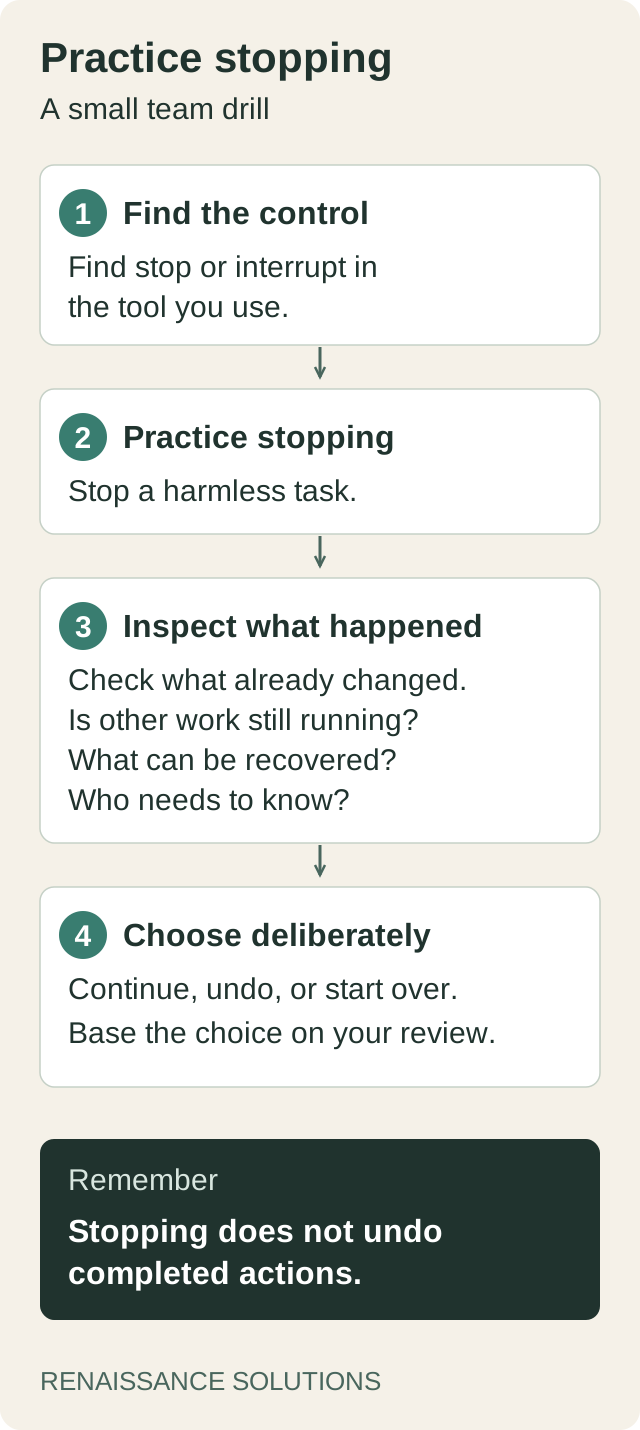
Practice the whole sequence: stop, inspect, and choose what happens next. Original diagram created with Codex for Renaissance Solutions.
That is not bureaucracy. That is how people learn to trust the tool.
Before you hand work to an agent, know how to stop the agent.